

Download The Dream Machine – Stylish Stop‑Motion Point‑and‑Click Adventure
Overview
The Dream Machine invites players into a hauntingly beautiful world where clay‑motion graphics meet atmospheric sound design. This point‑and‑click adventure centers on Victor, a protagonist who must navigate a surreal, animated dreamscape riddled with cryptic puzzles and enigmatic characters. Unlike many mainstream titles that spoon‑feed the narrative, The Dream Machine deliberately withholds explanations, encouraging players to piece together the story through careful observation and interaction.
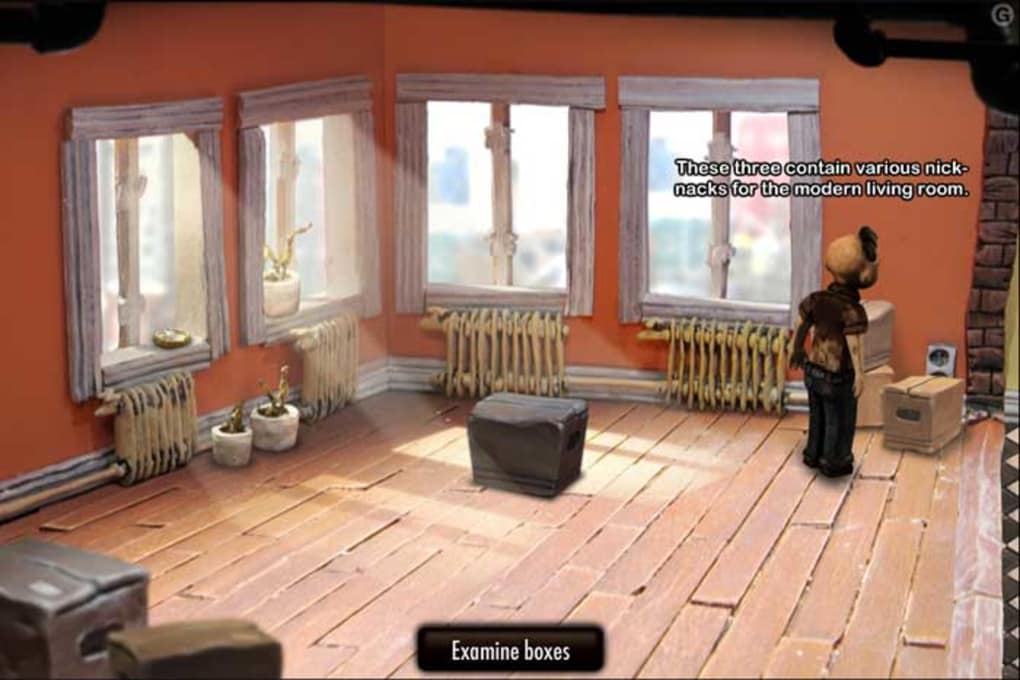
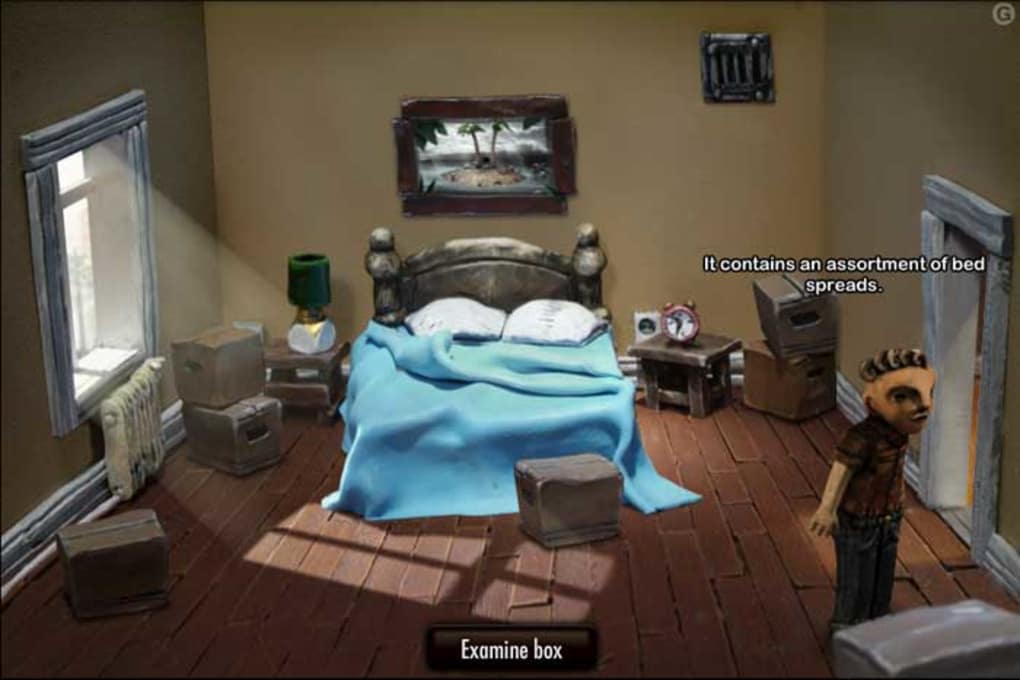
The visual style stands out: each scene feels handcrafted, with texture‑rich clay models that move in a fluid, stop‑motion fashion. Ambient audio layers subtle environmental noises, creaking floorboards, distant whispers, and a minimalist score that together heighten the sense of unease. While the game’s pacing can feel deliberate—conversations are often long and choices appear linear—the overall experience offers a unique blend of artistic expression and classic adventure mechanics.
It’s a title that rewards patience, rewarding those who appreciate atmosphere over fast‑paced action. Whether you’re a seasoned adventure gamer or a newcomer drawn to experimental storytelling, The Dream Machine delivers an immersive, albeit occasionally solemn, journey that stays with you long after the final frame fades.
Key Features of The Dream Machine
- Clay‑Motion Visuals: Hand‑crafted stop‑motion graphics give every scene a tactile, almost surreal quality that sets the game apart from typical digital art styles.
- Atmospheric Soundtrack: An ambient sound design combines subtle music with environmental noises, creating an immersive, eerie mood.
- Puzzle‑Driven Exploration: Thought‑provoking puzzles are integrated into the environment, encouraging players to examine every detail.
- Non‑Linear Narrative Hints: The story unfolds through environmental storytelling rather than explicit dialogue, rewarding attentive players.
- Minimalist UI: A clean, point‑and‑click interface keeps the focus on the world and its mysteries.
- Cross‑Platform Support: Available for Windows, macOS, and Linux, ensuring a broad audience can experience the adventure.
- Low System Requirements: Optimized for a wide range of hardware, the game runs smoothly on older machines.
- Replay Value: Hidden secrets and optional dialogue snippets encourage multiple playthroughs to uncover every nuance.
Installation, Usage, and Compatibility
Installing The Dream Machine is straightforward, making it accessible even for players unfamiliar with adventure games. Begin by downloading the installer from the official website or a trusted distribution platform such as Steam or GOG. The download size is modest, typically under 1 GB, which ensures quick acquisition even on slower connections.
Step‑by‑step installation:
- Run the downloaded installer (EXE for Windows, DMG for macOS, or a compressed archive for Linux).
- Accept the license agreement and choose an installation directory (the default path works for most users).
- Click “Install” and wait for the files to copy—this usually takes less than two minutes.
- Once installation completes, launch the game via the desktop shortcut or start menu entry.
- On first launch, the game may prompt you to download optional high‑resolution texture packs; these are not required but enhance visual fidelity.
The game runs natively on Windows 7, 8, 10, and 11 (64‑bit), as well as macOS 10.13 and later, and most major Linux distributions with Vulkan or OpenGL support. Minimum system specifications include a dual‑core CPU, 2 GB RAM, and integrated graphics, while recommended settings suggest a quad‑core processor, 4 GB RAM, and a modest dedicated GPU for smoother animation playback.
Gameplay controls follow the classic point‑and‑click paradigm: left‑click to move, right‑click to interact with objects, and hover over hotspots for contextual hints. The interface includes a simple inventory system, accessible via the “I” key, and a journal that logs discovered clues. Because the narrative is intentionally ambiguous, players are encouraged to take notes or capture screenshots—both features are supported natively via the game’s built‑in “Capture” button.
Updating the game is handled automatically through the chosen distribution platform. Steam and GOG provide seamless patch delivery, while the standalone installer checks for updates on launch and offers to download the latest version. This ensures that bug fixes and occasional content tweaks reach players without manual intervention, preserving the secure and hassle‑free experience promised by the developers.
Conclusion: Pros, Cons, FAQ, and Final Thoughts
Pros
- Stunning clay‑motion graphics that differentiate it from conventional adventure titles.
- Deeply atmospheric sound design enhances immersion.
- Thoughtful puzzles that integrate naturally with the environment.
- Cross‑platform availability and low system requirements.
- Rich hidden content that rewards thorough exploration.
Cons
- Linear dialogue can make choices feel inconsequential.
- Long conversations may test the patience of players seeking faster pacing.
- Story ambiguity might frustrate those who prefer clear explanations.
- Limited combat or action elements may deter fans of more dynamic gameplay.
Frequently Asked Questions
Is The Dream Machine free to download?
No, The Dream Machine is a commercial title. It can be purchased on platforms like Steam, GOG, or directly from the developer’s website. Occasionally, promotional discounts are offered.
What are the minimum system requirements?
The game runs on Windows 7/8/10/11 (64‑bit), macOS 10.13+, or Linux with OpenGL/Vulkan support. Minimum: dual‑core CPU, 2 GB RAM, integrated graphics, and 1 GB free storage.
Can I play The Dream Machine on a controller?
The game is designed for mouse and keyboard interaction. While some controllers may work through third‑party mapping tools, full functionality is not guaranteed.
Is there any DLC or additional content?
As of the latest release, there is no official DLC. The developers have hinted at possible future expansions that could add new dream sequences or puzzles.
How often are updates released?
Updates are infrequent but focused on stability and minor bug fixes. When released, they are automatically delivered through Steam, GOG, or the standalone launcher.
Final Verdict
The Dream Machine is a niche gem that excels in visual storytelling and atmospheric design. Its deliberate pacing and ambiguous narrative may not appeal to every gamer, yet those who cherish artistic ambition will find it a rewarding experience. If you enjoy point‑and‑click adventures that prioritize mood, puzzle craftsmanship, and a handcrafted aesthetic, downloading The Dream Machine is a decision you won’t regret. Click the purchase link on your preferred platform, install the game following the simple steps above, and let Victor guide you through a world where every clay figure holds a secret waiting to be uncovered.



.png)



